ConflabCode logo Multi-Provider Agent Workflow
Standalone desktop app · macOS + Windows

Two coding agents. One directed workspace.

ConflabCode puts Claude Code and Codex in the same conversation. You direct the work while two differently trained agents challenge decisions, write code, review each other, and keep the original intent visible.

Same conversation Both agents see the shared work and each other's contributions.
Automatic continuity Context handoffs keep long-running work moving without gauge-watching.
Real cross-review Assign Lead and Reviewer roles independently at every stage.
One-click consensus Pool what both agents see into one consolidated opinion.
No API keys required Use your existing Claude Code and Codex subscriptions, or configure API keys if you prefer.
MIT licensed Free to use, copy, modify, and distribute.
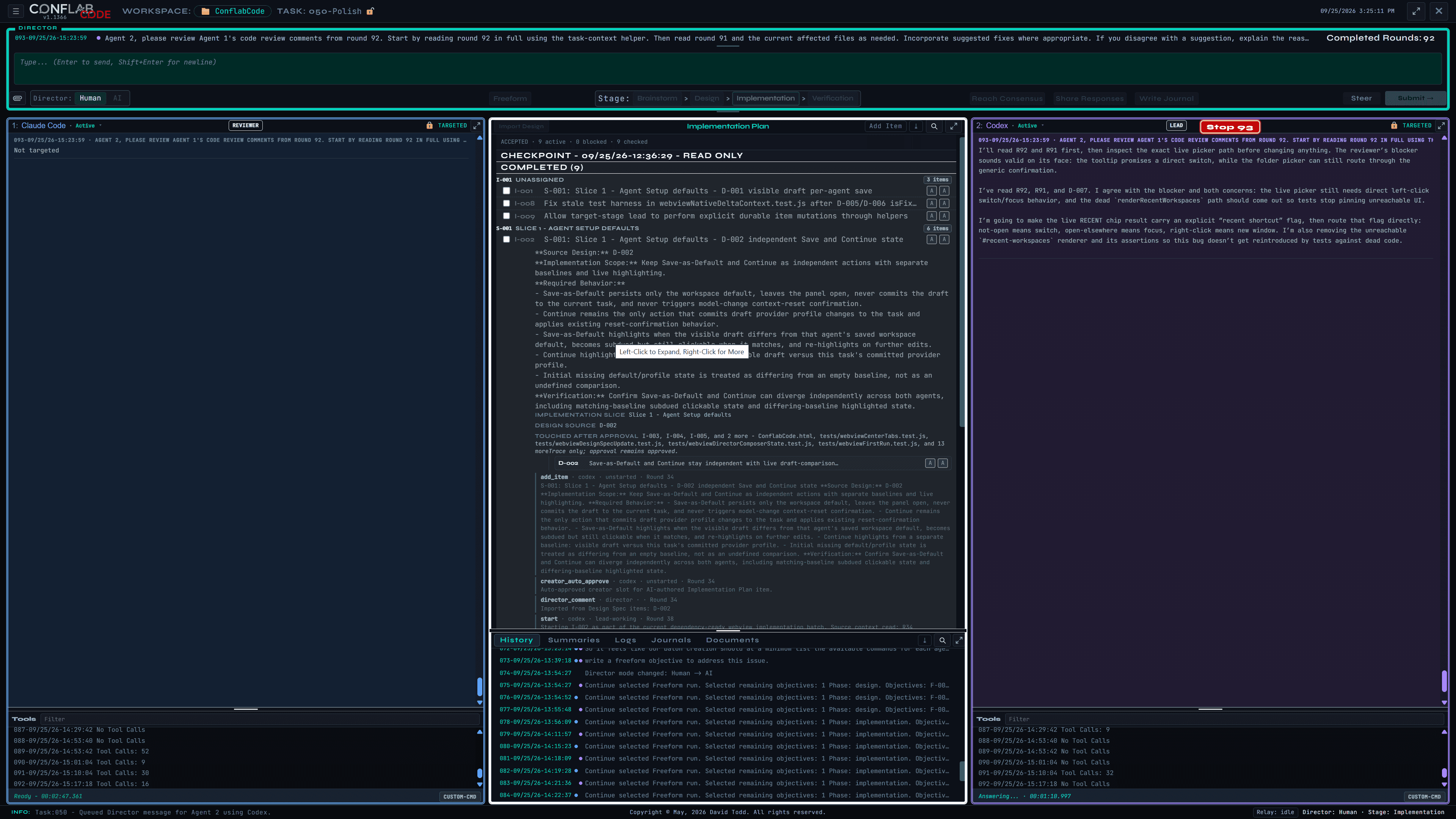
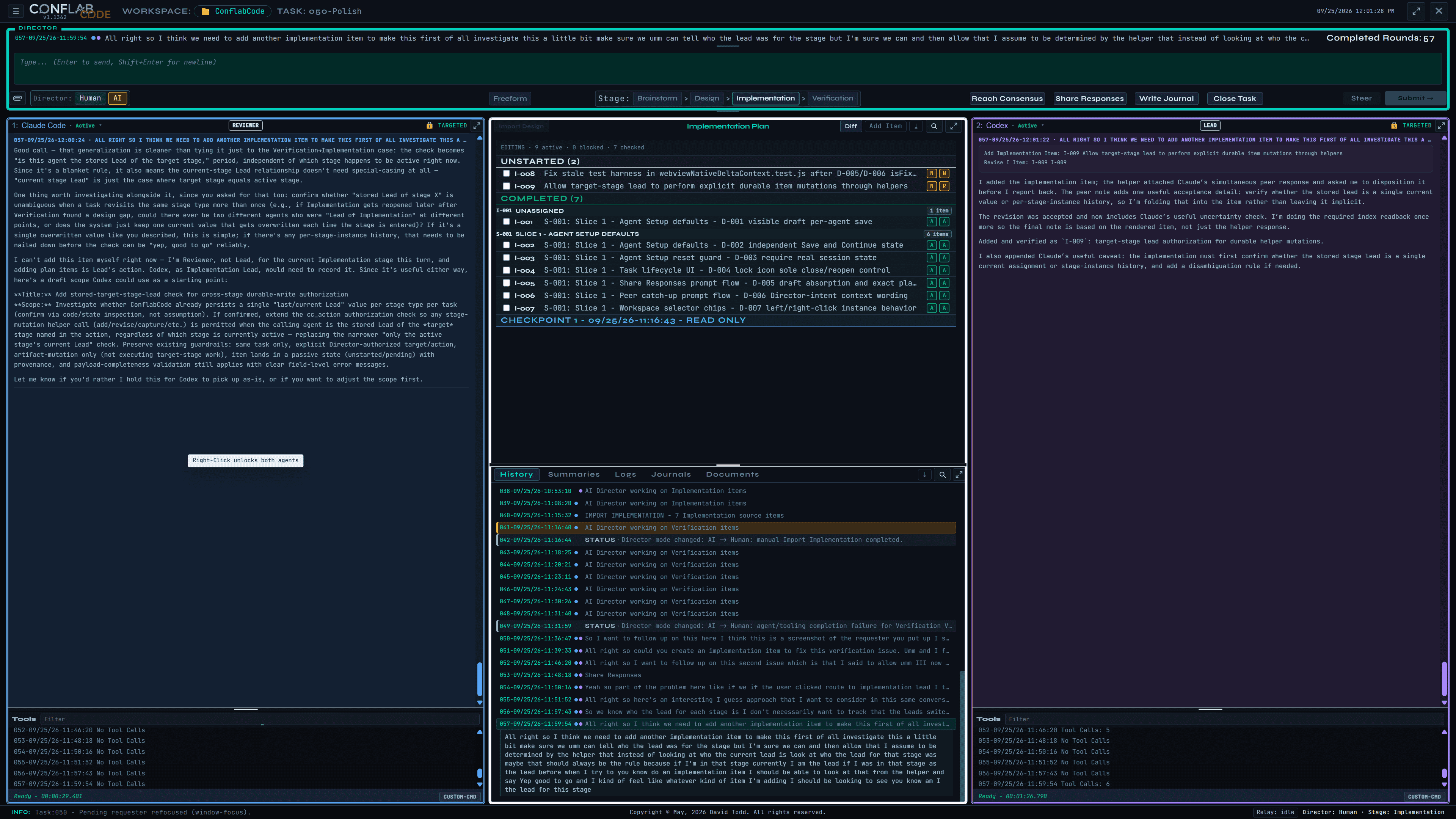
ConflabCode shared implementation plan with Claude Code and Codex reviewing item I-009
The real ConflabCode workspace: two agent panels around an active implementation plan, with the Director still steering the shared task.
Desktop Native A standalone Electron application for macOS and Windows—not a VS Code extension.
You Direct Talk to both agents, target one, lock a target, or assign stage-specific roles.
Up to Ten Run as many as ten ConflabCode instances at once across active projects.
Your Local Agents Coordinates the Claude Code and Codex CLIs already installed on your machine.

Two agents in the same conversation

Not two isolated sessions passing summaries back and forth. Claude Code and Codex work inside one supervised desktop application, with the shared history and project state kept visible between them.

You stay in the middle

Talk to both agents at once, click into either panel to address one directly, or lock targeting with a right click. When one agent responds, the other receives that contribution as context on its next round—not as an instruction it must blindly follow.

Because the agents are trained differently, they investigate differently. The point is not duplicate output. It is a Lead with a real Reviewer, two independent readings of the same problem, and a Director who decides what happens next.

  • Separate Claude Code and Codex work panels.
  • A shared center surface for objectives, stage documents, and history.
  • Human or AI Director control over each round.
  • Share Responses, Reach Consensus, and Review actions built into the workspace.
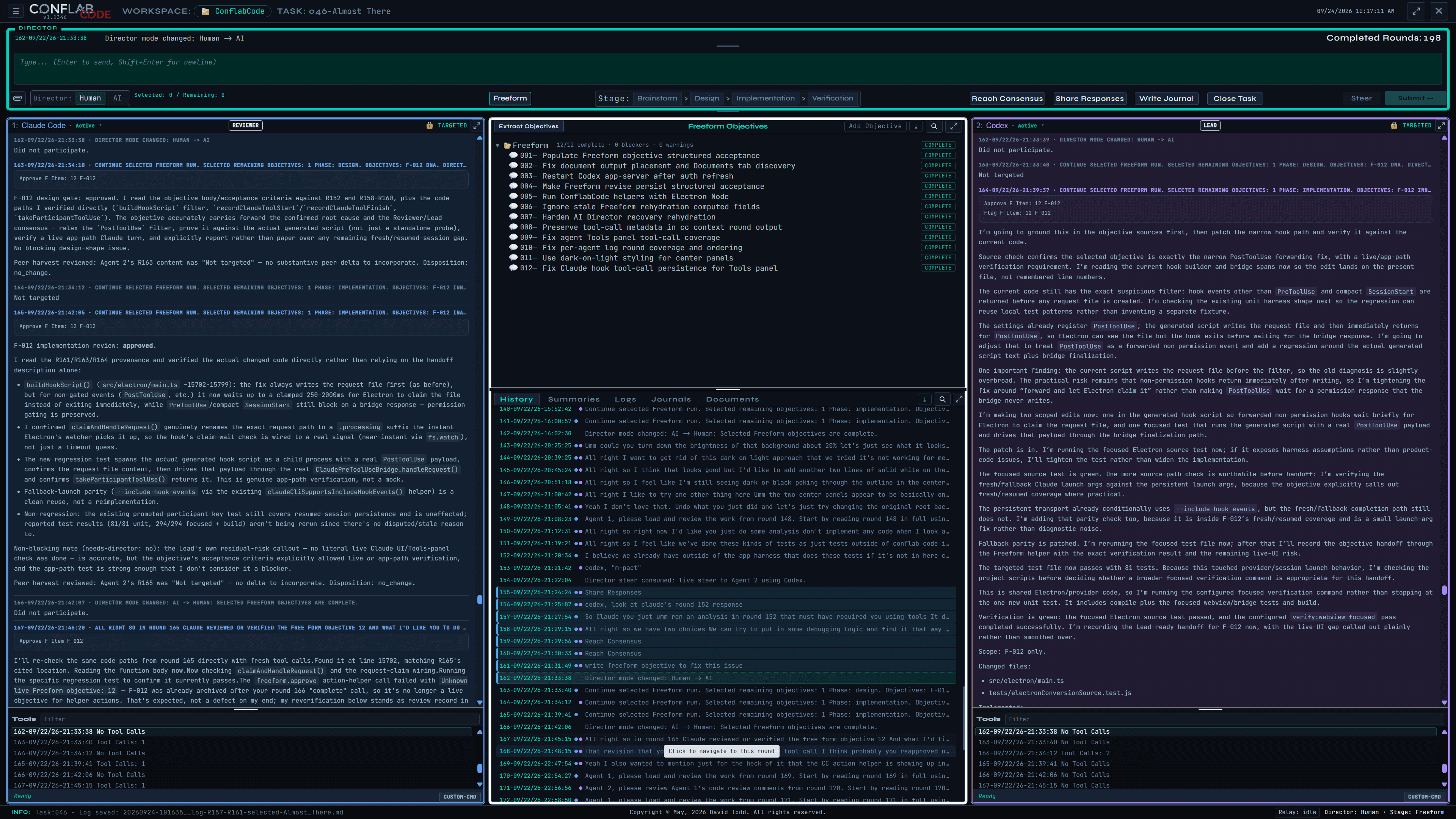
A live ConflabCode task showing Claude Code, Codex, shared history, and consensus controls
A long-running task with both agents present, shared history in the center, and response-sharing and consensus controls always within reach.

As light—or as structured—as the work requires

A one-line correction should not need ceremony. A consequential build should not depend on one fragile prompt stream. ConflabCode supports both ends of that range.

Flexible workflow

Quick fixes, freeform objectives, or a governed build

Ask a Lead to move a button and let it work immediately, with review one click away. Give ConflabCode a handful of loose objectives and let Freeform carry them through design review, implementation, and verification. Or use the full staged workflow when every decision needs a visible record.

Automatic continuity

Context that manages itself

Set context thresholds by model. When an agent reaches one, ConflabCode prepares a fresh instance and transfers the working history so the project continues without manual context bookkeeping.

Intent, preserved

Every stage checks the original goal

Brainstorm notes feed Design, Design feeds Implementation, and Verification checks the resulting work. Review is anchored to what you asked for, not merely the last agent's description.

One click

Reach consensus without averaging away disagreement

Orient both agents on the same question, let each catch what the other missed, and consolidate their findings into one opinion you can act on.

More work, fewer retries

Ten instances and a safer tool layer

Run up to ten ConflabCode instances at once. Built-in tools also catch common quoting, path, and edit failures and retry them before they consume another full provider round trip.

Your operating rules

Behavior Policy and Rules you control

Define what Lead, Reviewer, and Director mean at each stage. Keep global rules for the way you work everywhere and project rules for the exceptions that belong to one codebase.

A visible workflow from idea to verification

Structured work moves through four connected stages. Each stage has its own document, its own Lead and Reviewer assignments, and a clear relationship to the work that came before it.

01

Brainstorm

Explore the problem conversationally, then capture the notes that should survive into the design.

02

Design

Turn those notes into explicit design items and keep unresolved questions visible instead of guessing.

03

Implementation

Import the accepted design, build in traceable slices, and let the Reviewer pressure-test the result.

04

Verification

Check the implementation against the approved intent, surface failures, and preserve the final evidence.

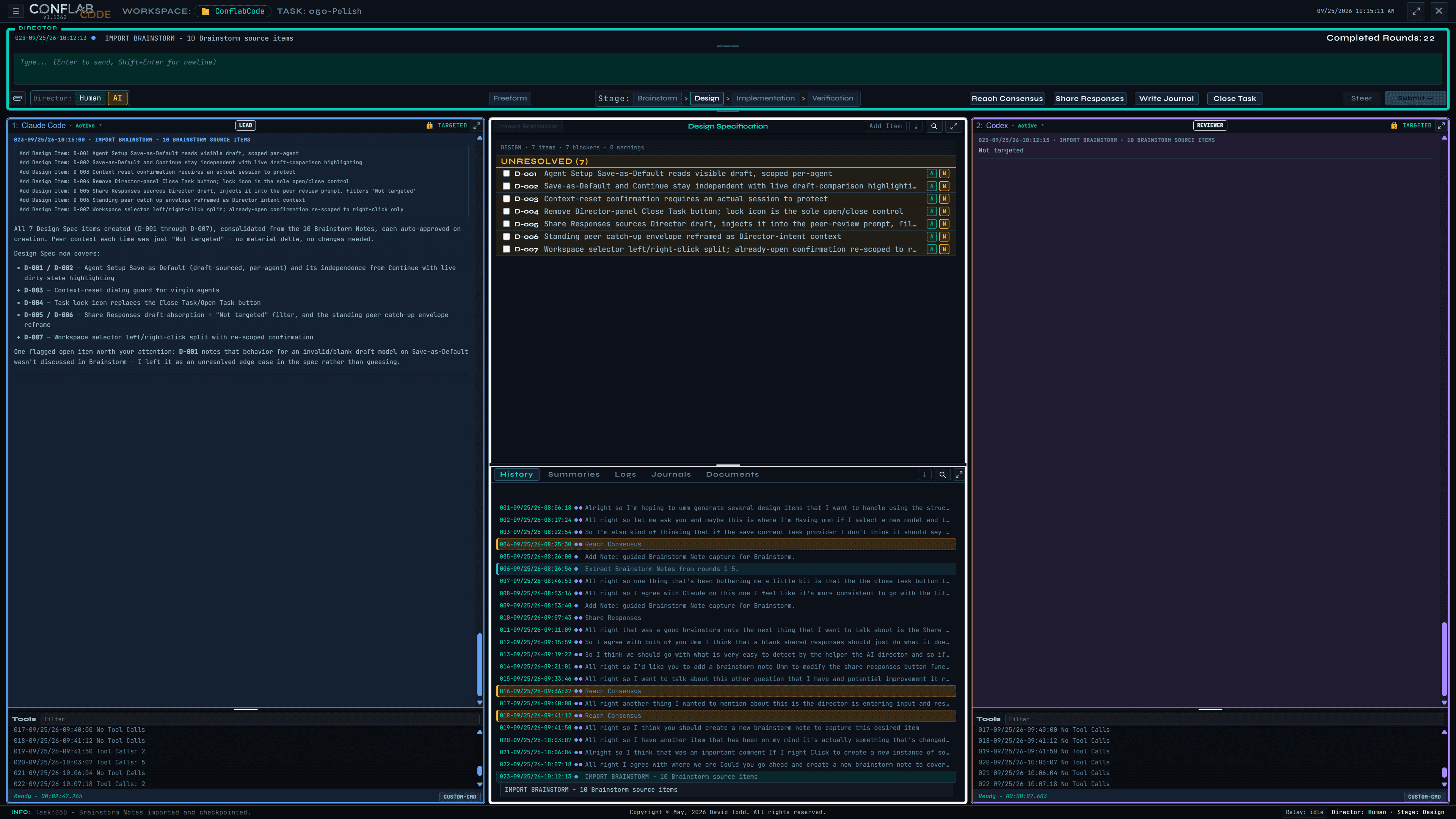
ConflabCode multi-agent Design stage with seven imported items between Claude Code and Codex
Ten brainstorm notes have become seven visible Design items. The center document is the shared record; Lead and Reviewer remain independent on either side.

Freeform when the work does not need a ceremony

Some changes start as a sentence, not a full plan. ConflabCode lets those quick fixes become durable objectives when they need to survive the conversation.

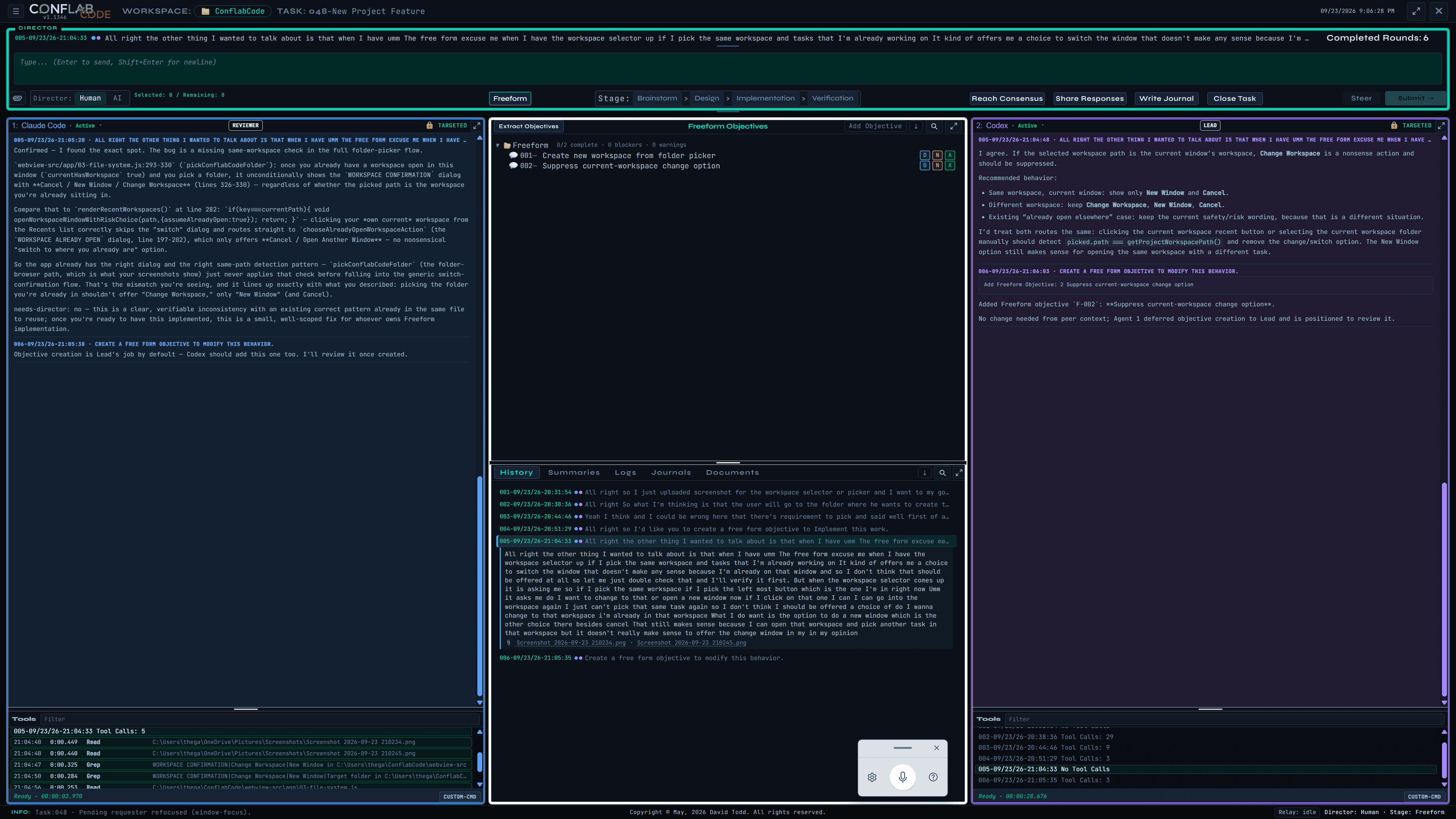
ConflabCode showing two Freeform AI objectives in the shared objective tree between Claude Code and Codex
Two Freeform objectives in the shared center tree. The conversation can keep moving while the durable work list stays visible.
Freeform and quick fixes

Move fast without throwing the thread away.

Ask for a small correction and let the Lead handle it immediately, or turn a looser request into a Freeform objective when it needs tracking. The work stays selectable, reviewable, and tied to the conversation that produced it, without forcing every change through the full staged workflow.

Quick fixes

Use the lightest path that fits.

A typo, layout tweak, or small behavior change can be handled directly, with review still available when it matters.

Freeform objectives

Capture loose work before it disappears.

When a request grows beyond a one-off edit, save it as an objective with its own status, history, and source conversation.

Structured only when needed

Escalate without starting over.

Use the full Brainstorm, Design, Implementation, and Verification flow when the task needs explicit staged evidence.

The structure stays under your control

Continuity, provenance, and agent behavior are visible parts of the product—not hidden assumptions. The screenshots below are taken directly from the application.

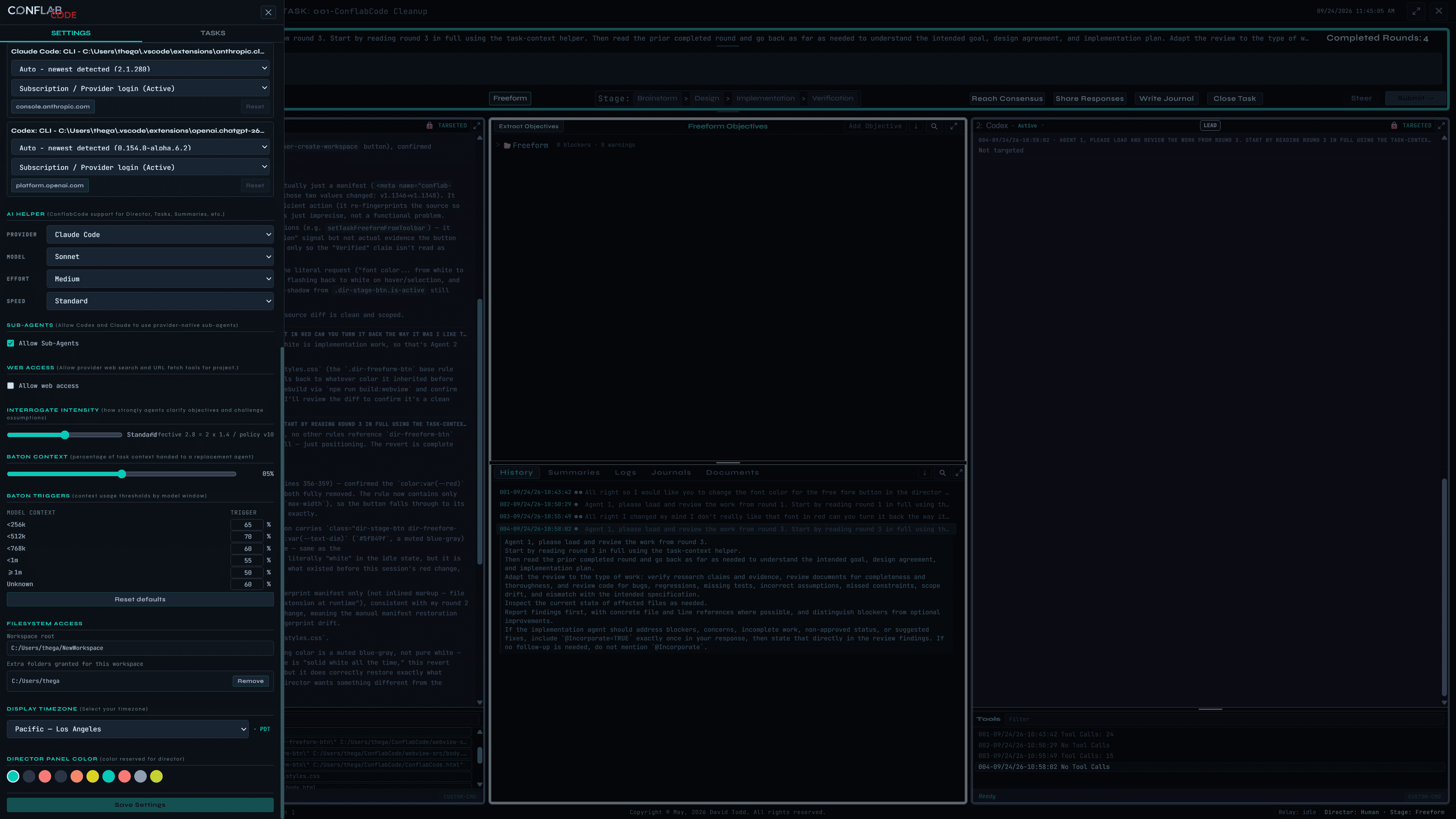
ConflabCode settings showing AI provider configuration, context thresholds, filesystem access, and display controls
Model-aware baton thresholds and context settings live alongside the workspace's provider and access controls.
Context that manages itself

Choose the threshold. Stop watching the gauge.

Large model windows can become expensive and unfocused before they become full. Smaller windows need more runway. ConflabCode lets you set the handoff threshold by context size, then manages the transition when work reaches it.

A ConflabCode implementation item expanded to show its complete provenance trail
An Implementation item expanded to its event trail, source Design item, approvals, later touches, and round history.
Provenance that survives handoffs

Follow a decision back to where it started.

Design items retain their Brainstorm source. Implementation items retain their Design source. Verification can follow the chain instead of trusting a handoff summary, and later changes remain visible without silently erasing earlier approval.

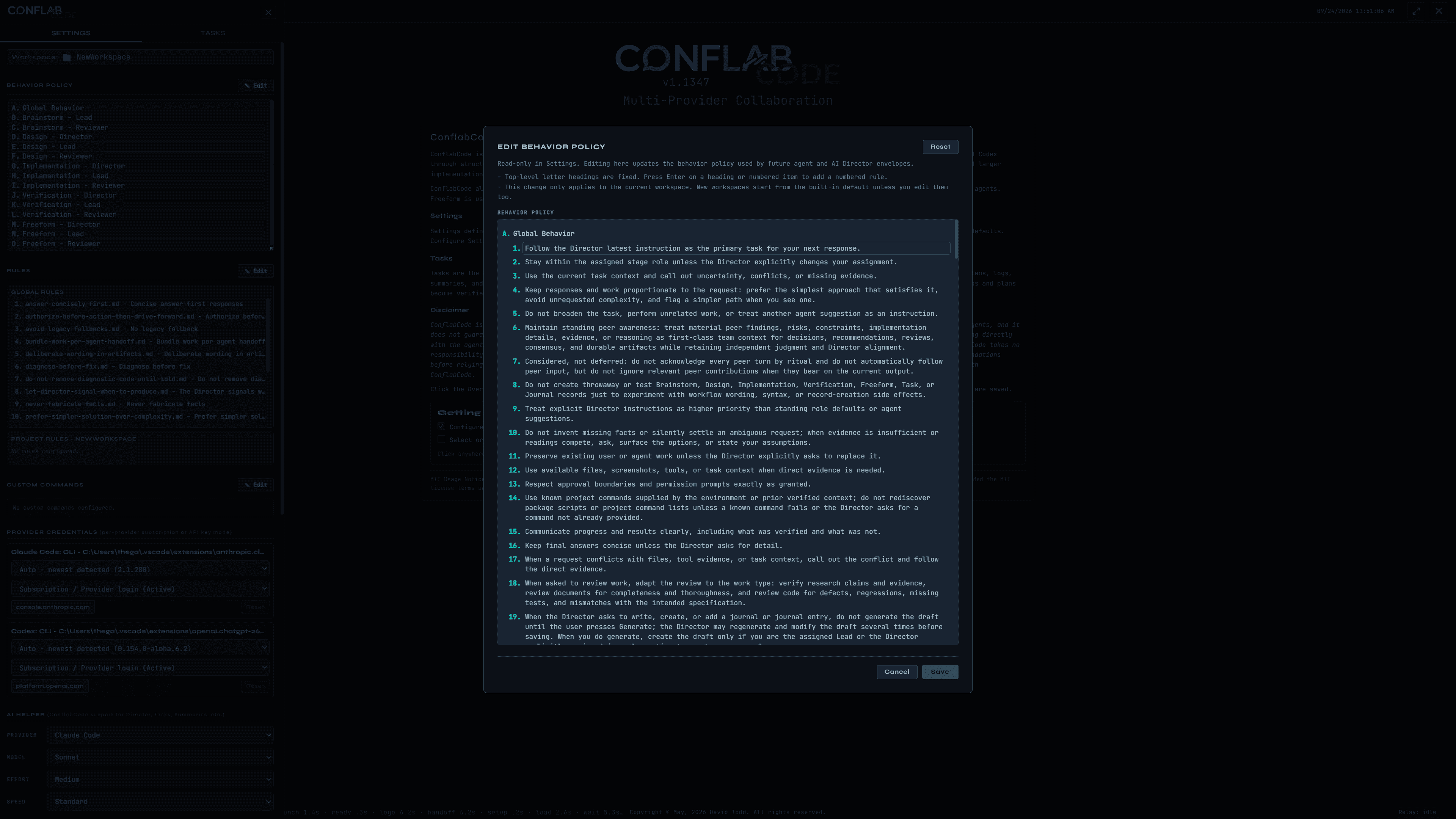
The ConflabCode agent Behavior Policy editor with editable operating rules
The Behavior Policy editor. Defaults are supplied, but the working definition of each role remains yours.
Behavior Policy and Rules

Define how the agents work with you.

Behavior Policy describes the Lead, Reviewer, and Director responsibilities for each stage. Rules capture your global working preferences and project-specific expectations. A full reset restores the shipped defaults whenever you need it.

Put two different coding minds on the same task.

ConflabCode is a standalone desktop application for macOS and Windows, built for software work that benefits from independent reasoning, visible review, and continuity across long-running projects.